
HOWTO: Firefox, fix profile in use
If you use Firefox and sometime you can have a strange error that prevents its execute:
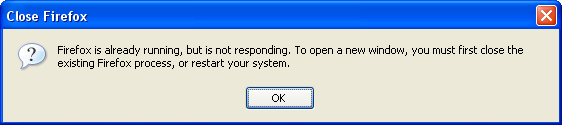
“Firefox is already running, but is not responding. To open a new window, you must first close the existing Firefox process, or restart your system” (on OS X: “A copy of Firefox is already open. Only one copy of Firefox can be opened at a time”).
A window like the one below will appear:
No worries, the solution is pretty simple. It’s enough to delete these files:
- Linux:
~/.mozilla/firefox/.parentlockand~/.mozilla/firefox/lock - OSX:
~/Library/Mozilla/.parentlock - Windows:
%APPDATA%Mozillaparent.lock
Once deleted those files, launch again Firefox and it should work. If not, drop me a comment.
PS: Stefano, diegor has come back :)
Comments